Your sunshine,
kept like a ledger.
Solar monitoring apps are great at watts and graphs — then they stop. Sinag is a custom extension for your solar monitoring app, built to fill in the features it never shipped: the same 5-minute inverter data, turned into pesos saved, bills forecast, payback progress — and a nudge the moment something on the roof misbehaves.
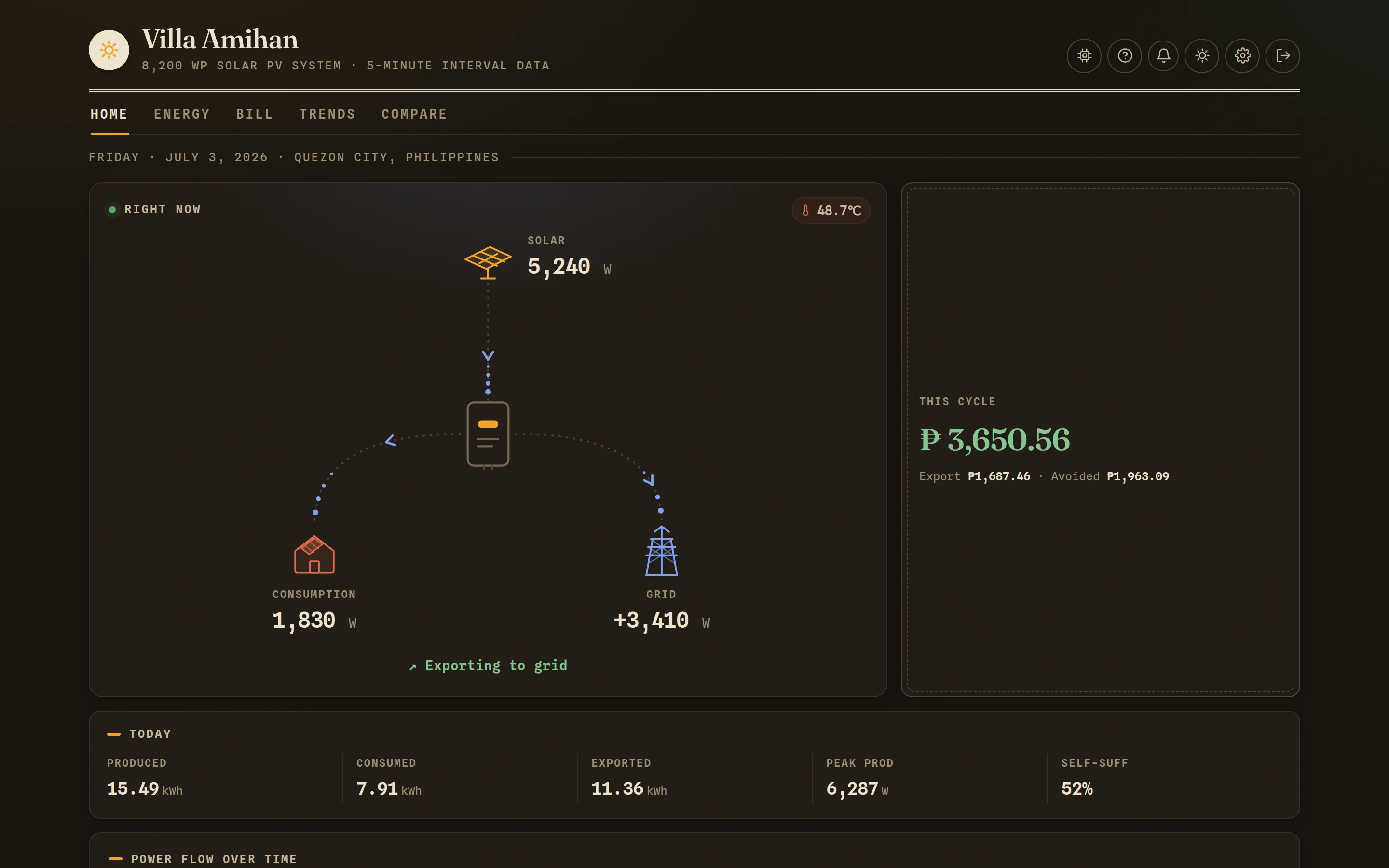
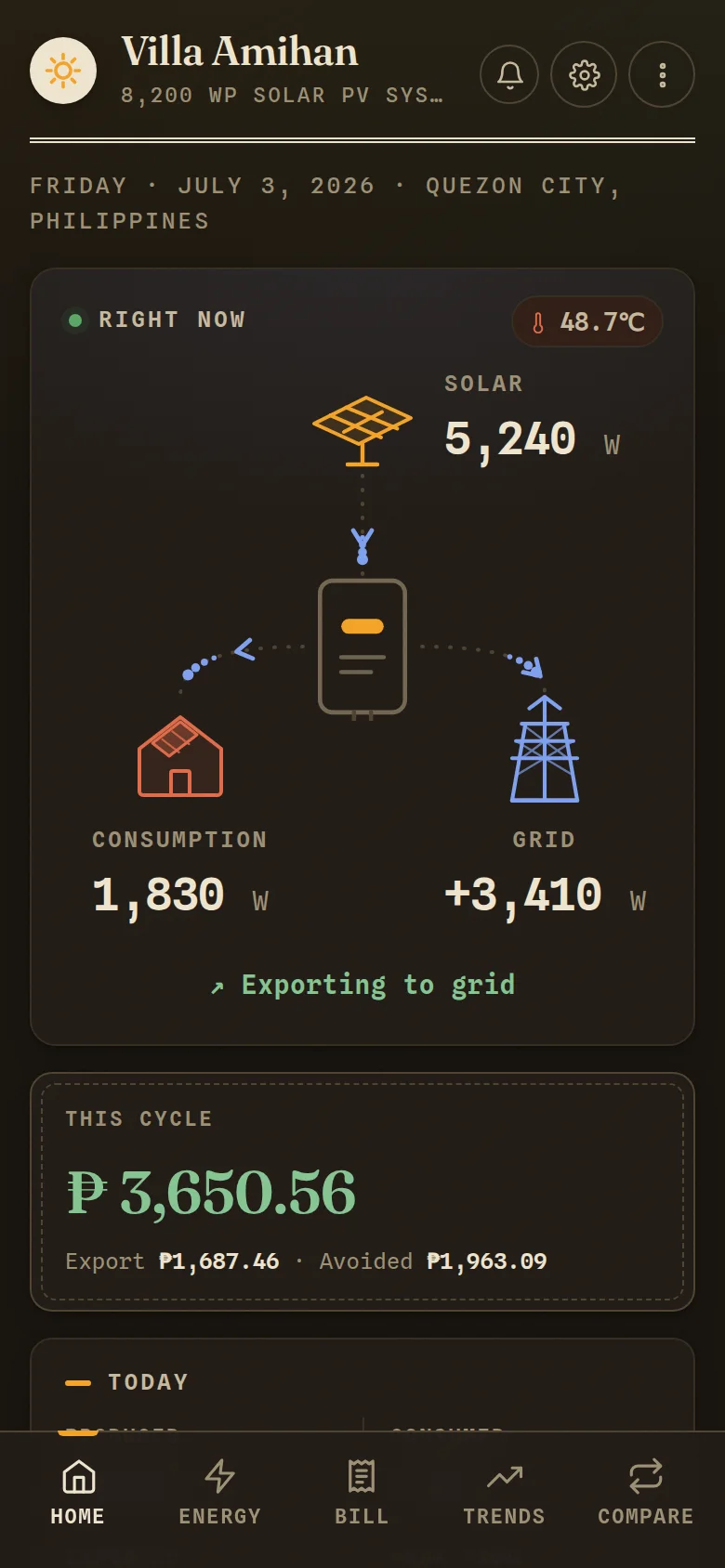
Everything a solar homeowner keeps asking, answered on one page each.
Ten pages, one story: what the roof is doing right now, what it earned this cycle, and whether the hardware is still pulling its weight.
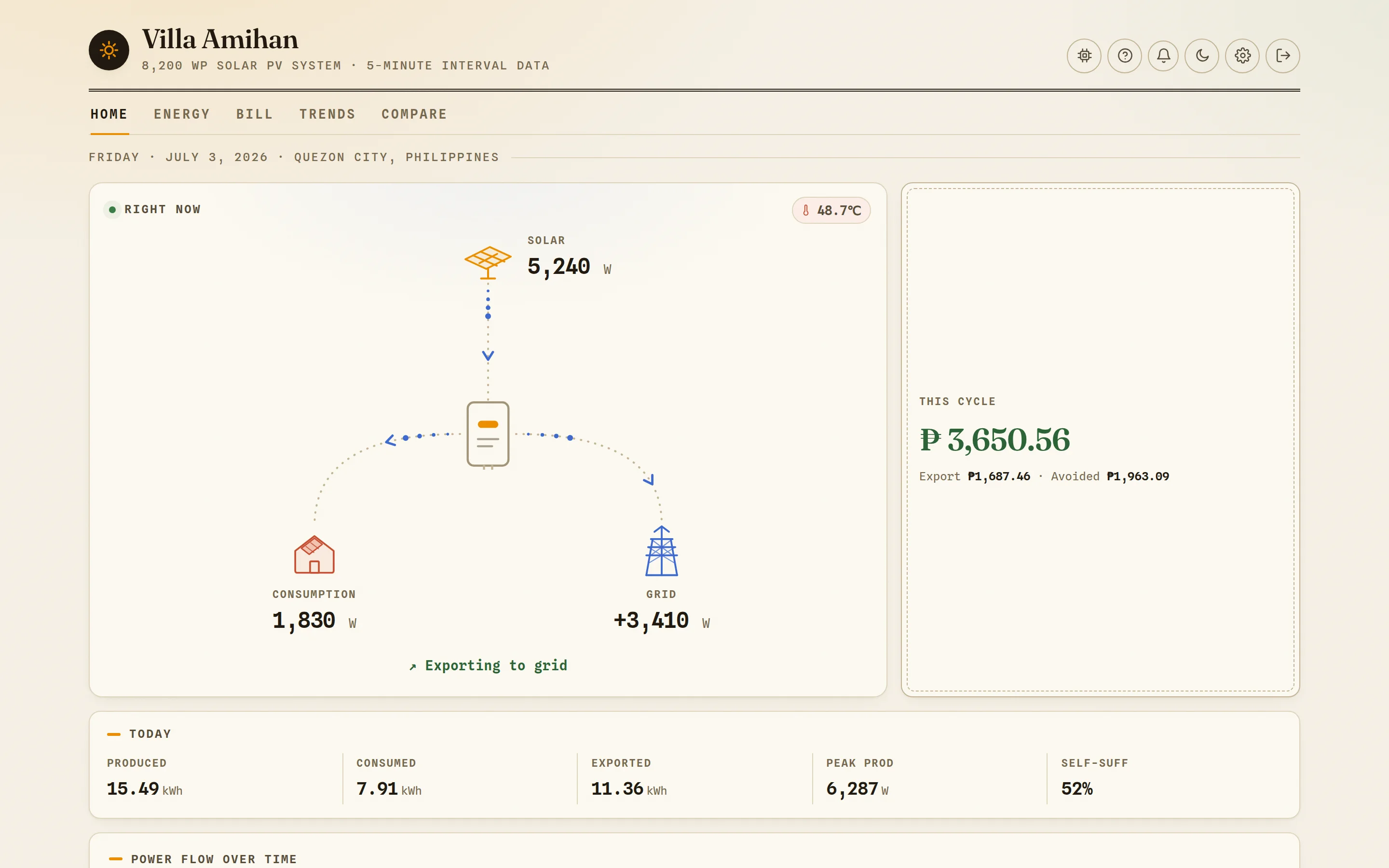
Watch your power move, live.
An animated flow diagram shows solar, house, and grid trading watts in real time — comets run along the wires, the badge keeps an eye on inverter temperature, and one line tells you if you're exporting, importing, or fully self-sufficient.
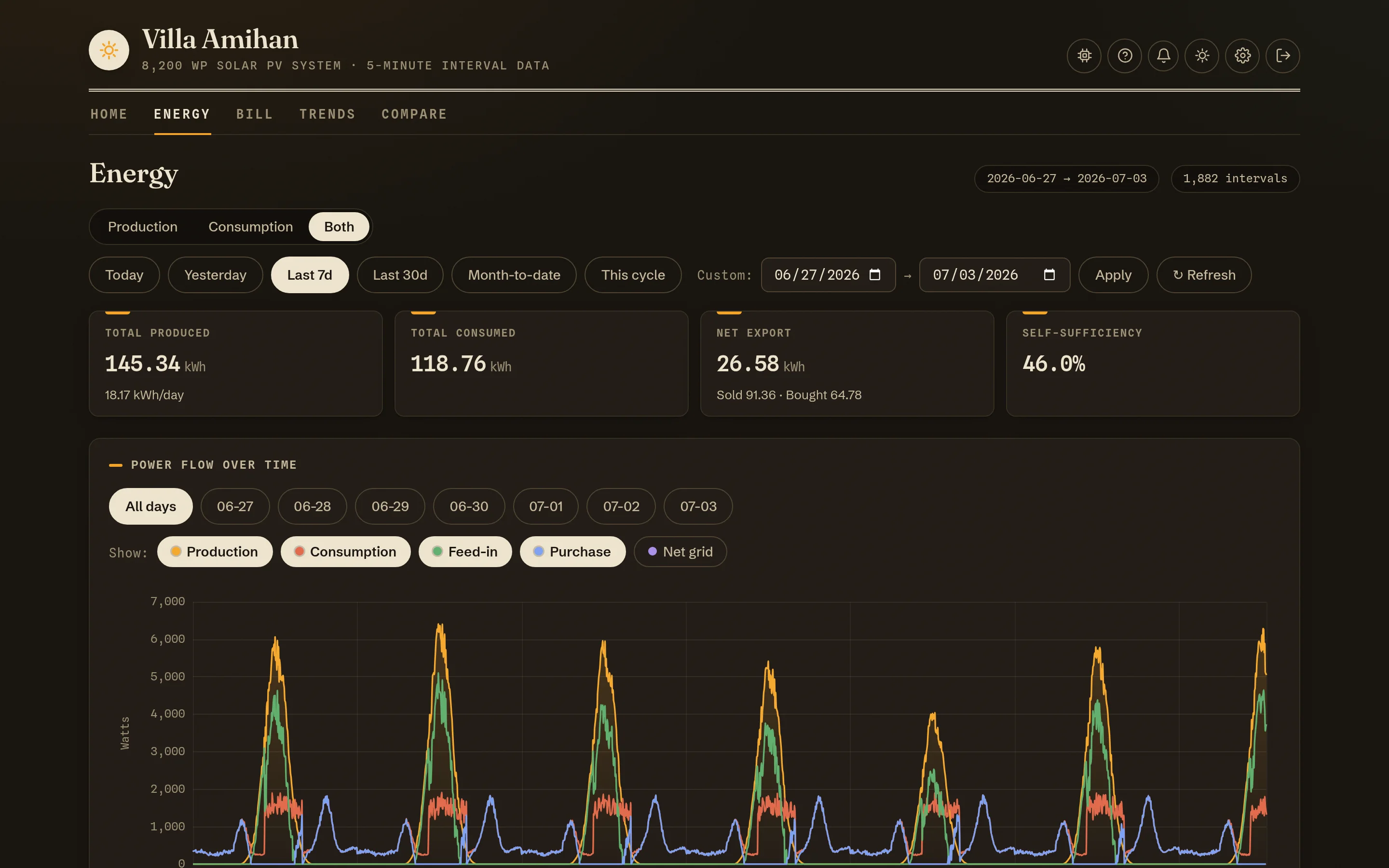
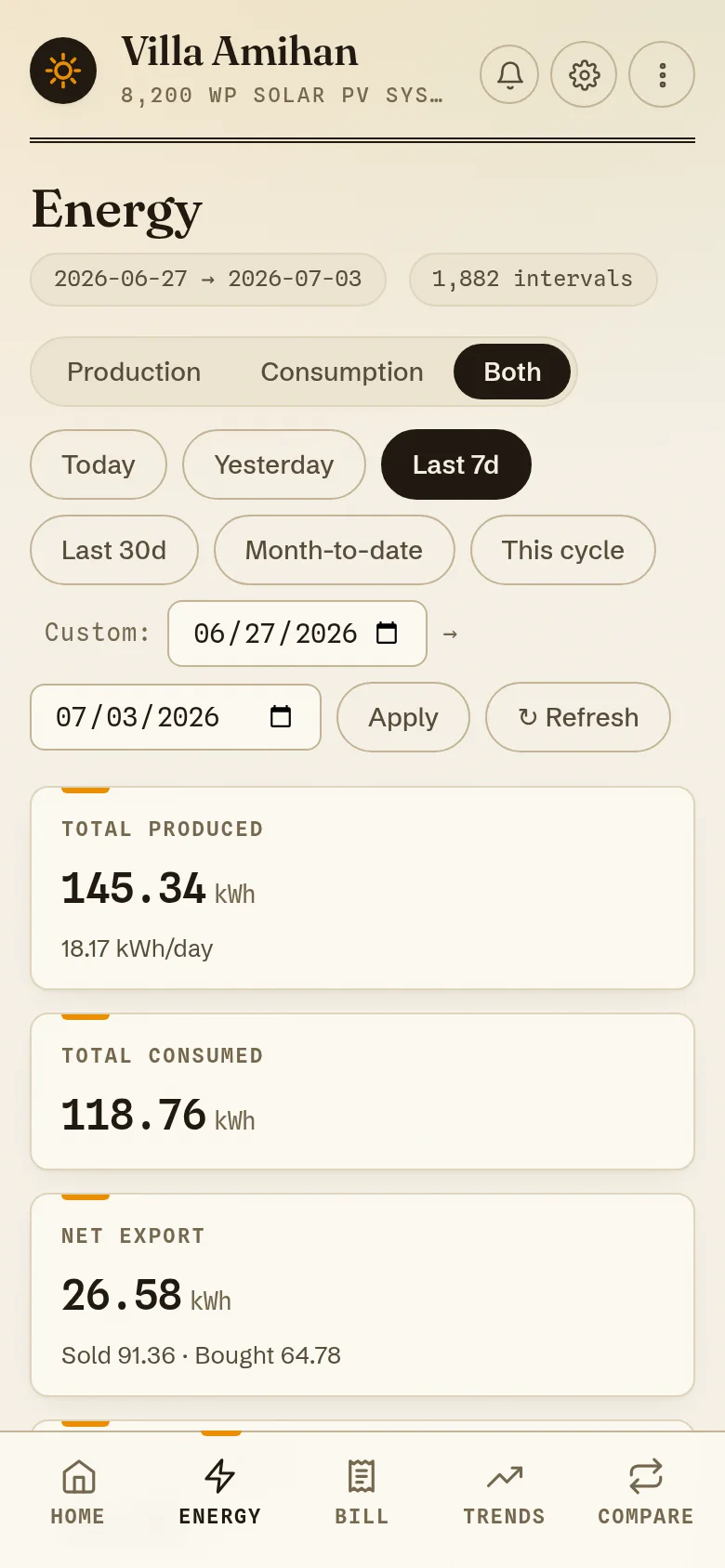
Every five minutes, on the record.
Zoom from one day to a whole cycle: production, consumption, feed-in and purchase curves at 5-minute resolution, per-day pills, an hourly profile, and a daily breakdown table. Presets for today, last 7/30 days, month-to-date, or your exact billing cycle.
Your Meralco cycle, priced to the centavo.
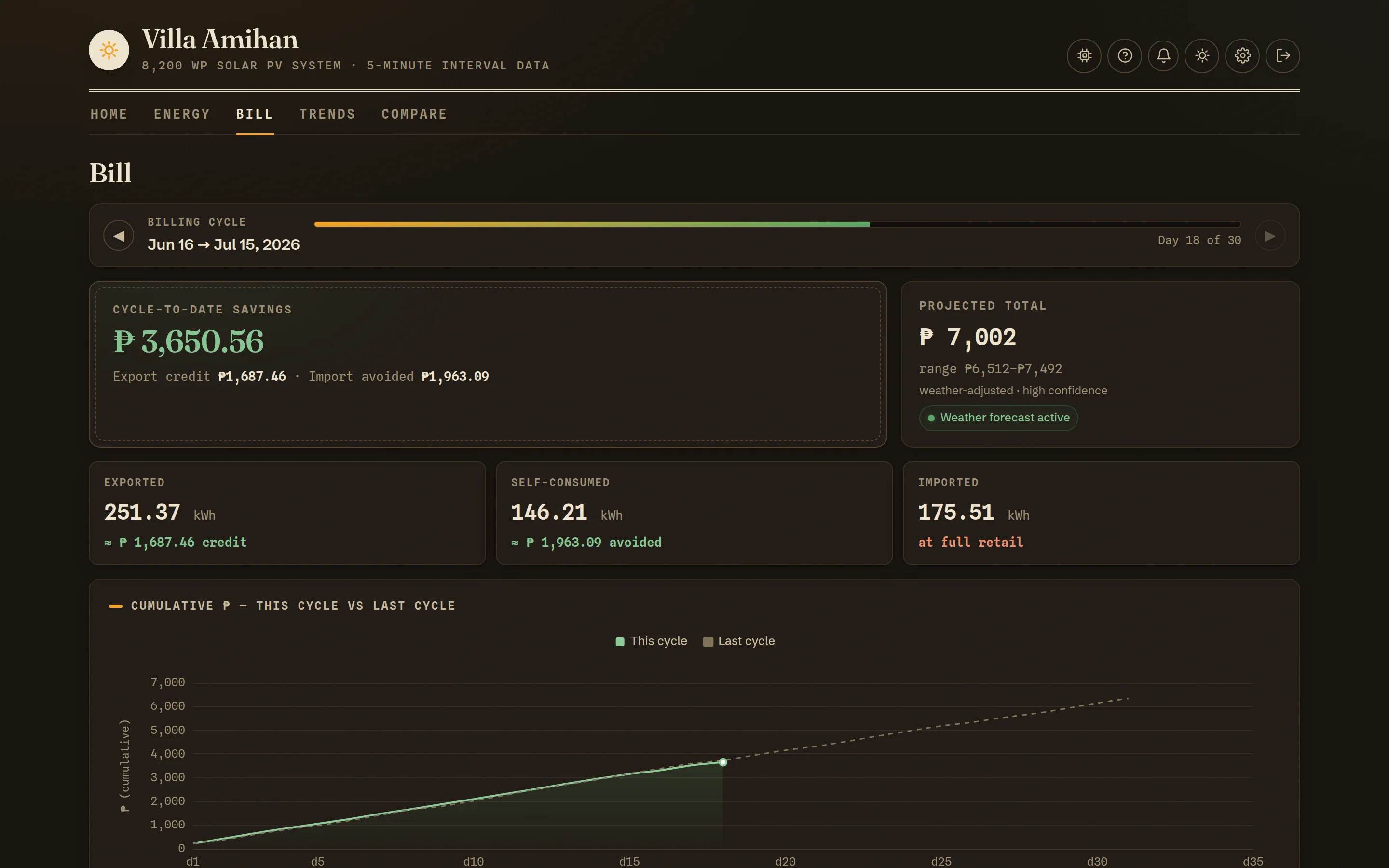
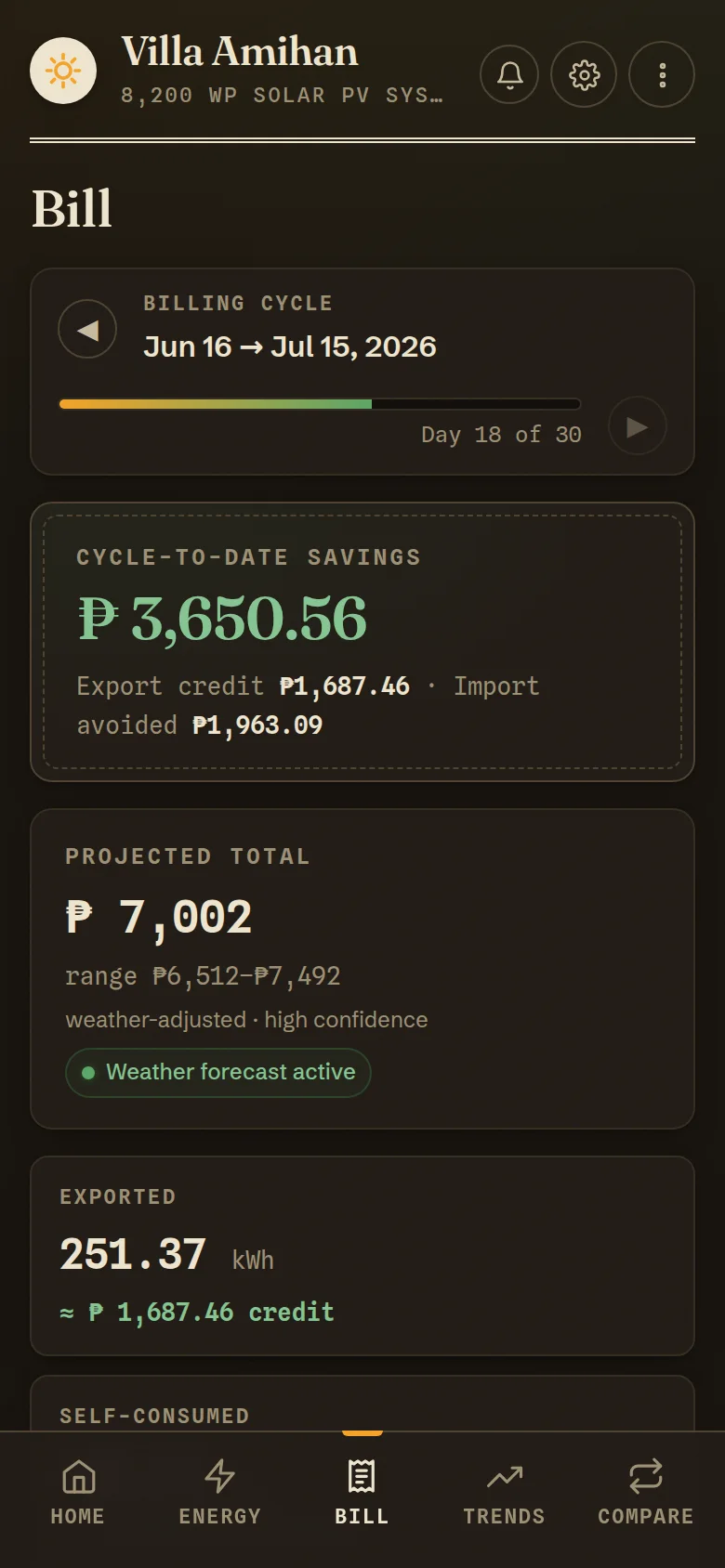
The Bill page lives on your billing calendar, not the calendar month. Cycle-to-date savings split into export credit and avoided import, a weather-aware projection with a confidence range, and a cumulative race against last cycle. Page back through any closed cycle.
Watch the system pay for itself.
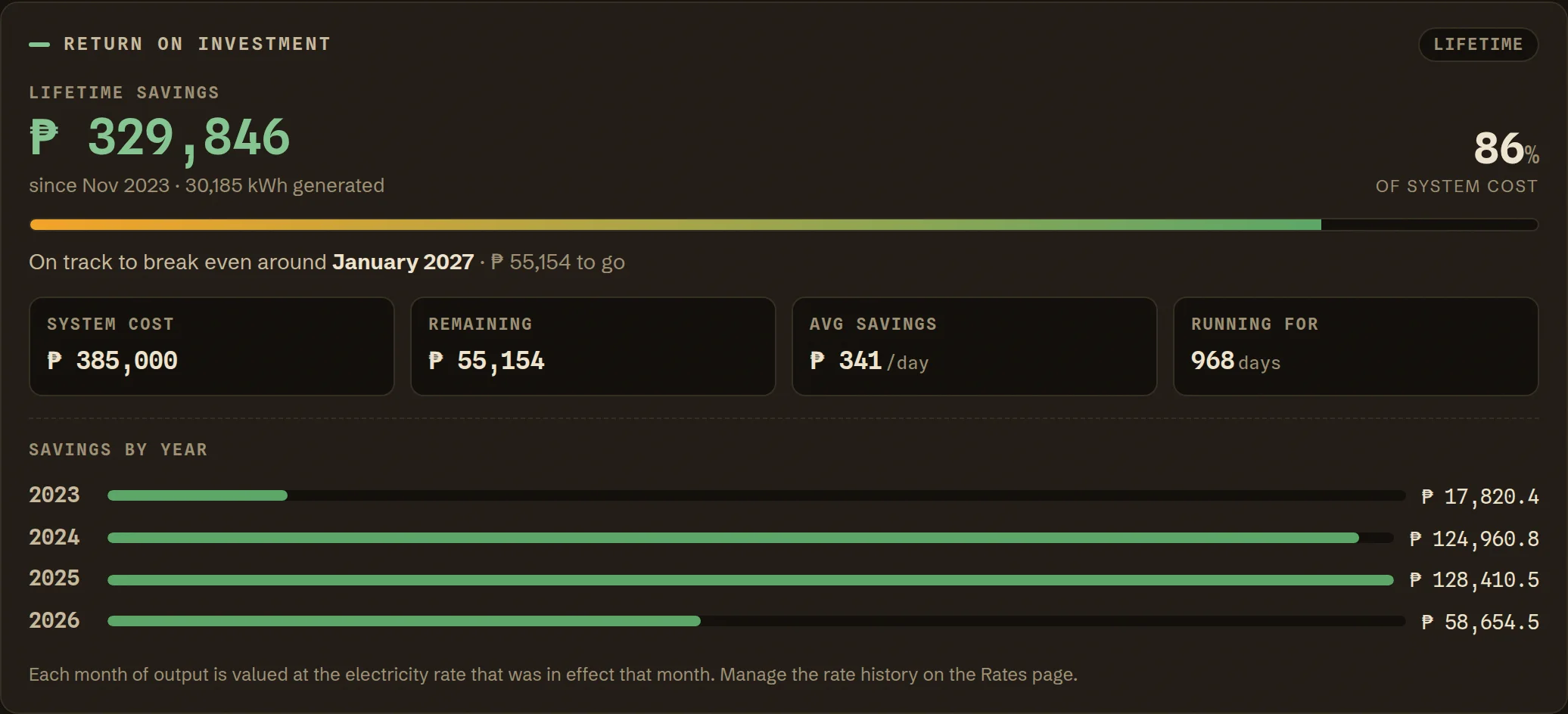
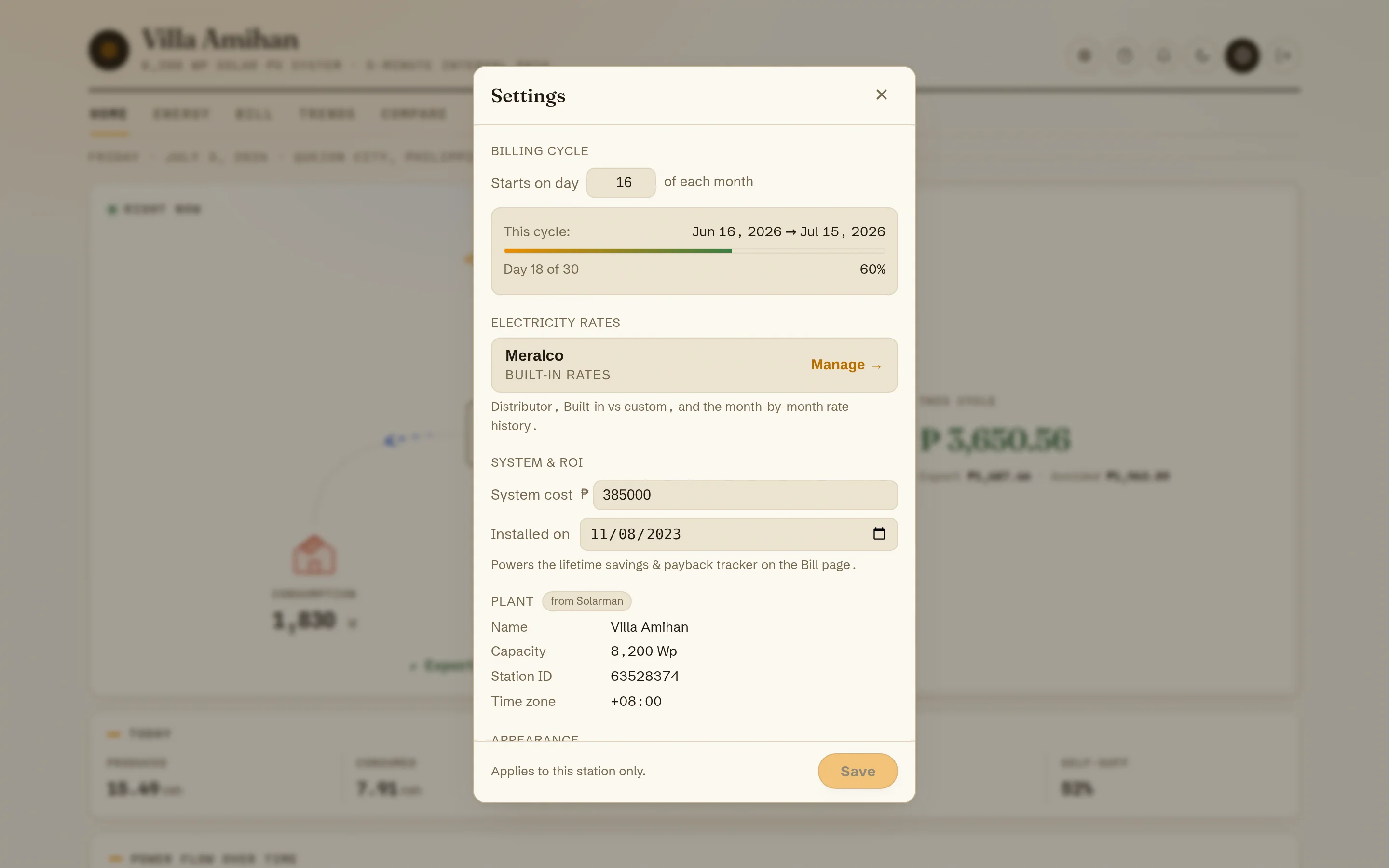
Tell it two things — what the system cost and when it was installed — and the ledger does the rest: every kilowatt-hour since day one is repriced at your electricity rate, rolled into lifetime savings, percent paid back, and a projected break-even date, with a year-by-year breakdown. The question every solar owner asks — “has it paid for itself yet?” — answered live, every day.
Twelve cycles of history — and a health check for the panels.
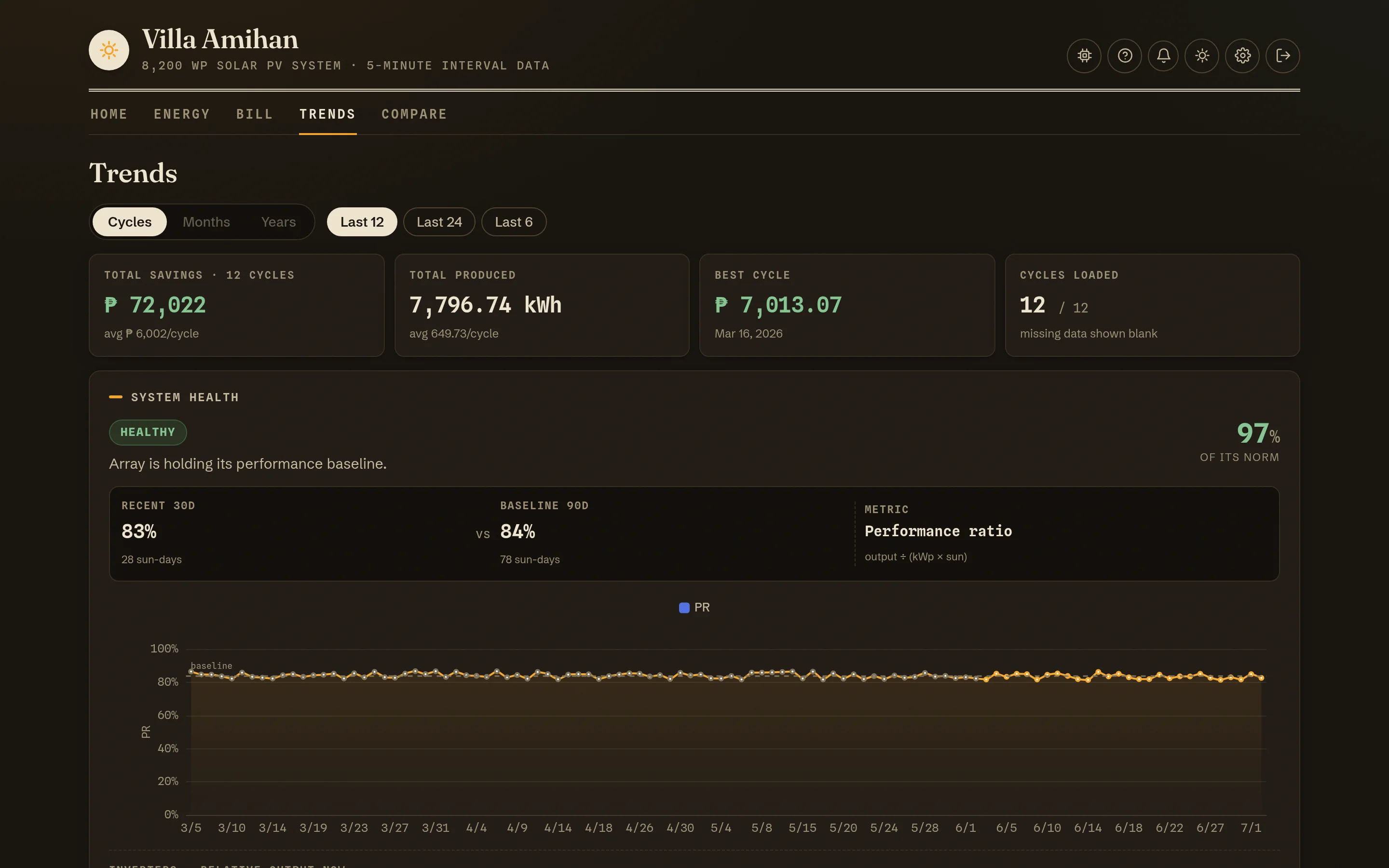
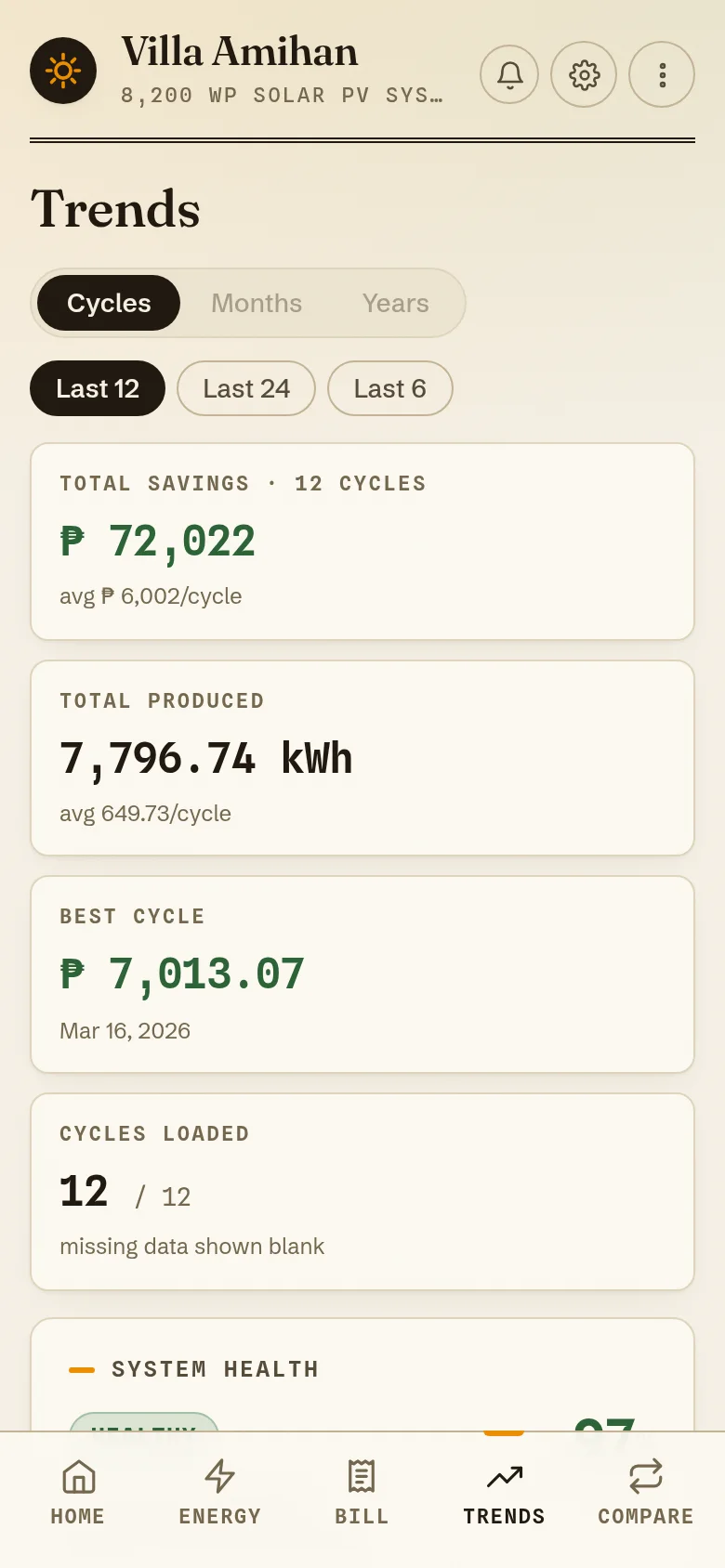
Cycle-over-cycle savings and production, your best cycle, and a system-health verdict that normalizes sunlight out of the equation: recent specific yield vs your own 90-day baseline, so a cloudy month never masquerades as a dying array. Multi-inverter stations get a laggard check too.
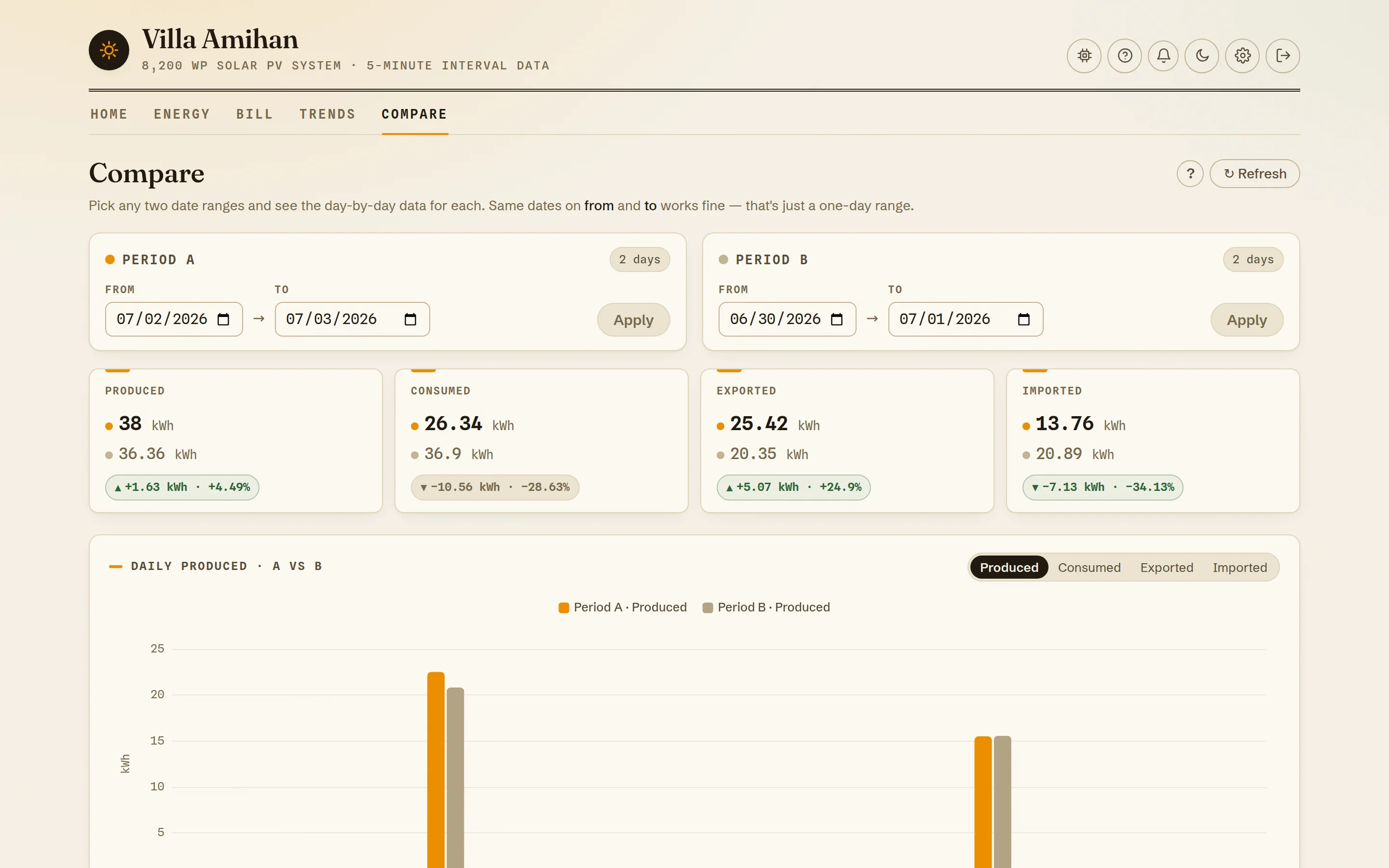
Any two stretches of time, side by side.
Before-and-after for anything: a new aircon, a panel cleaning, a typhoon week. Pick two ranges and get paired daily bars plus delta chips for production, consumption, export, and import.
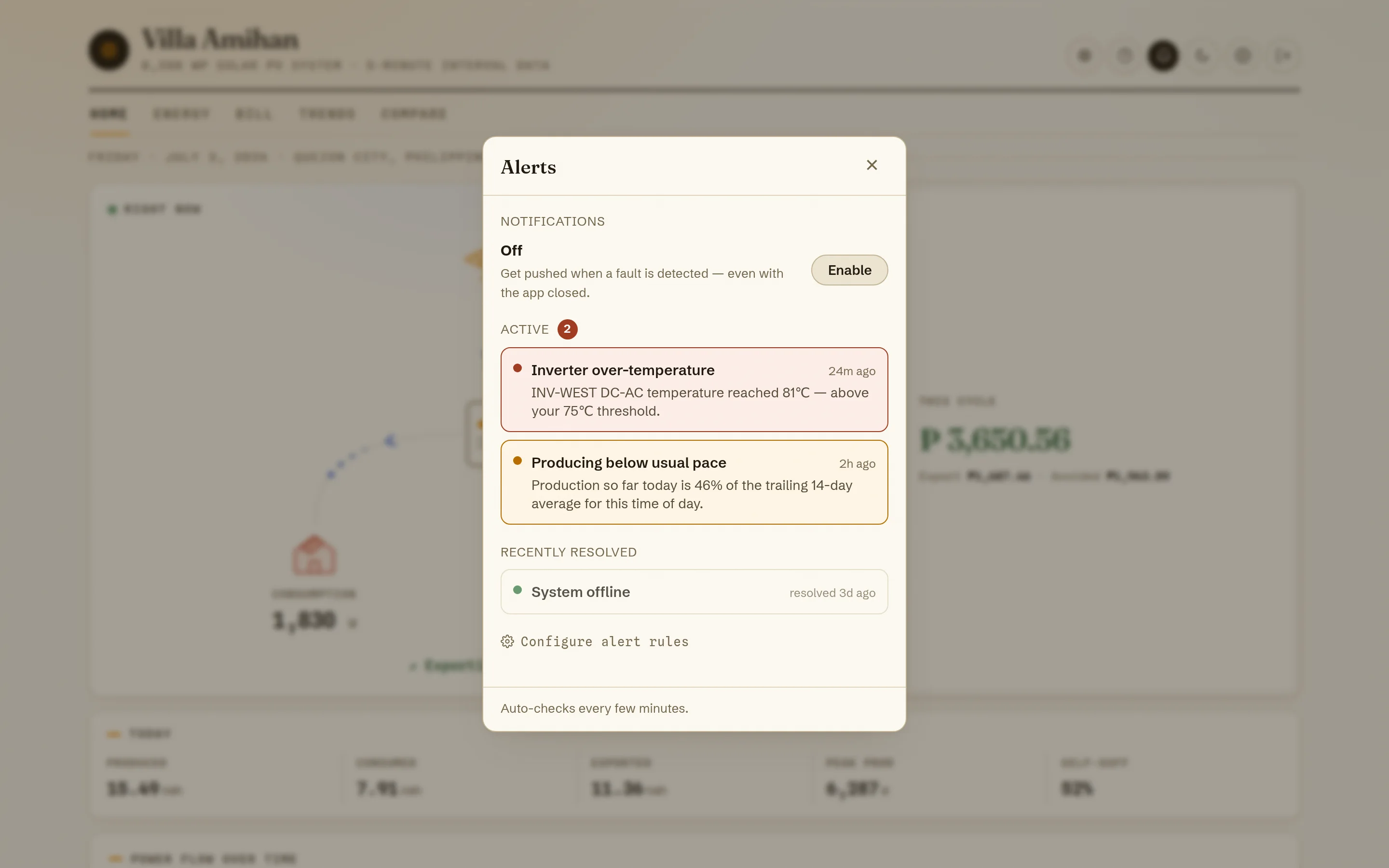
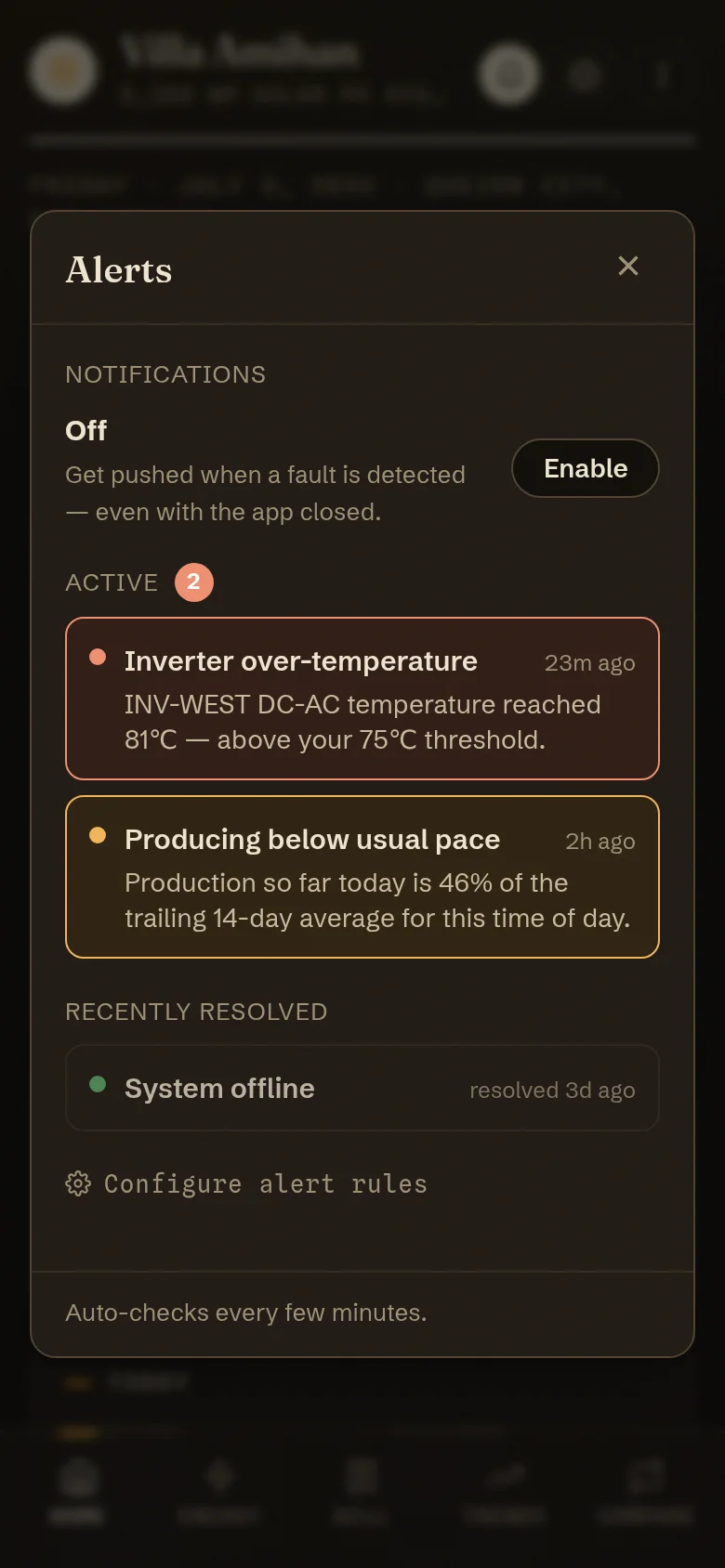
It taps you on the shoulder when the roof goes quiet.
Five server-side rules watch the feeds: system offline, zero production in daylight, producing below your usual pace, inverter over-temperature or fault, and slow multi-week degradation. Alerts open, update, and resolve themselves — and web push reaches your phone even with the app closed, via a scheduled background check.
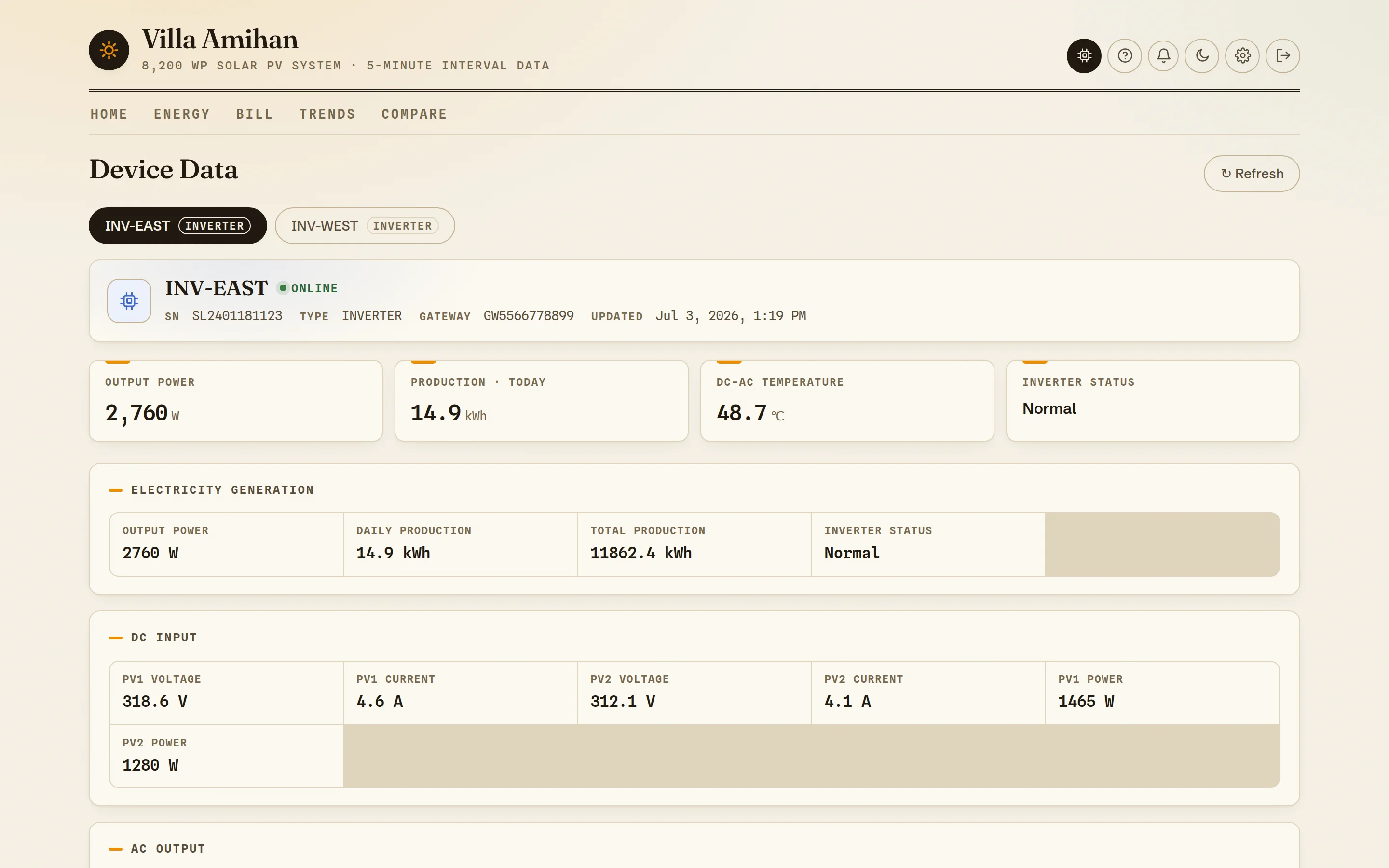
Down to the volts, when you want them.
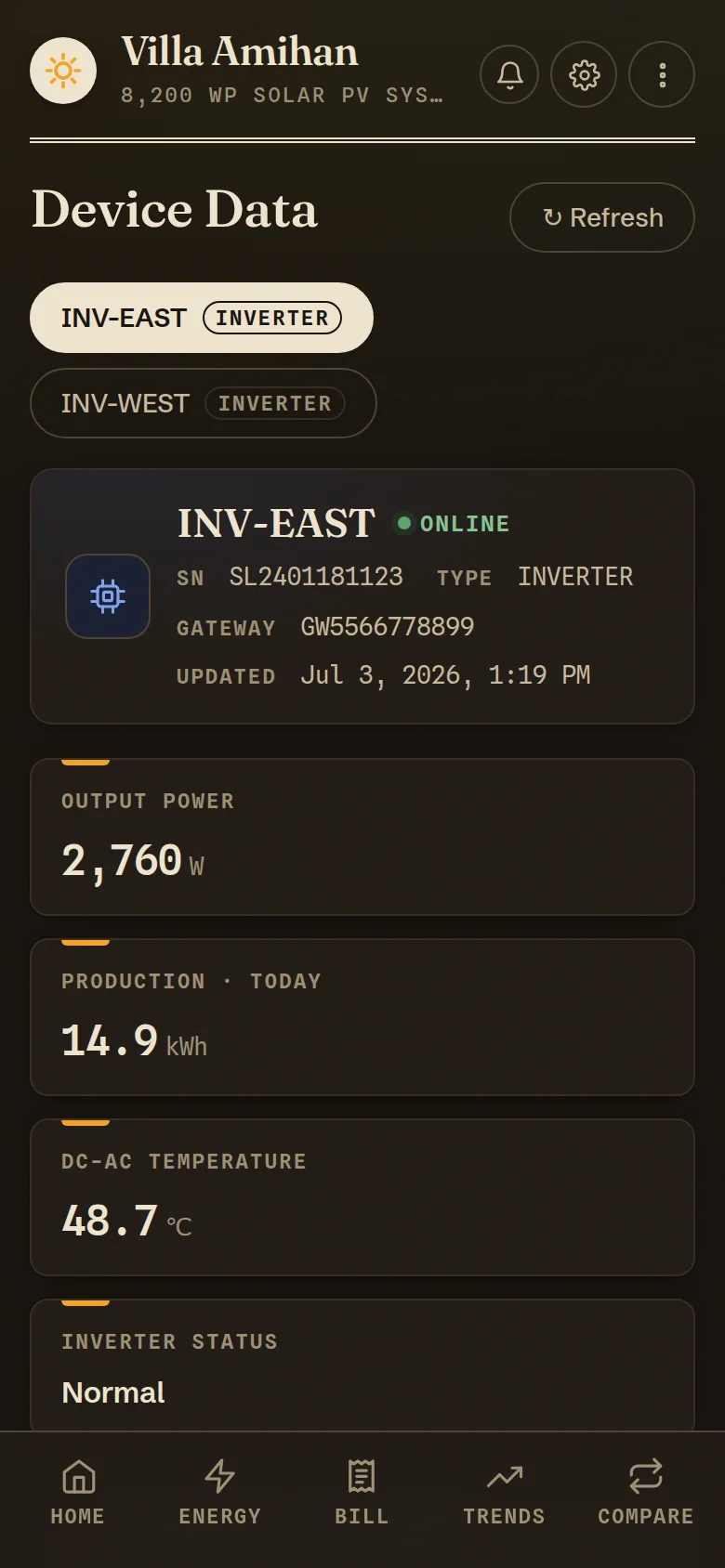
Per-inverter telemetry straight from the hardware: DC string voltages and currents, AC output, frequency, temperature, and status — grouped the way electricians think. Multi-inverter stations get a picker; the home page borrows the temperature for its live badge.
Priced with the rate that was true that month.
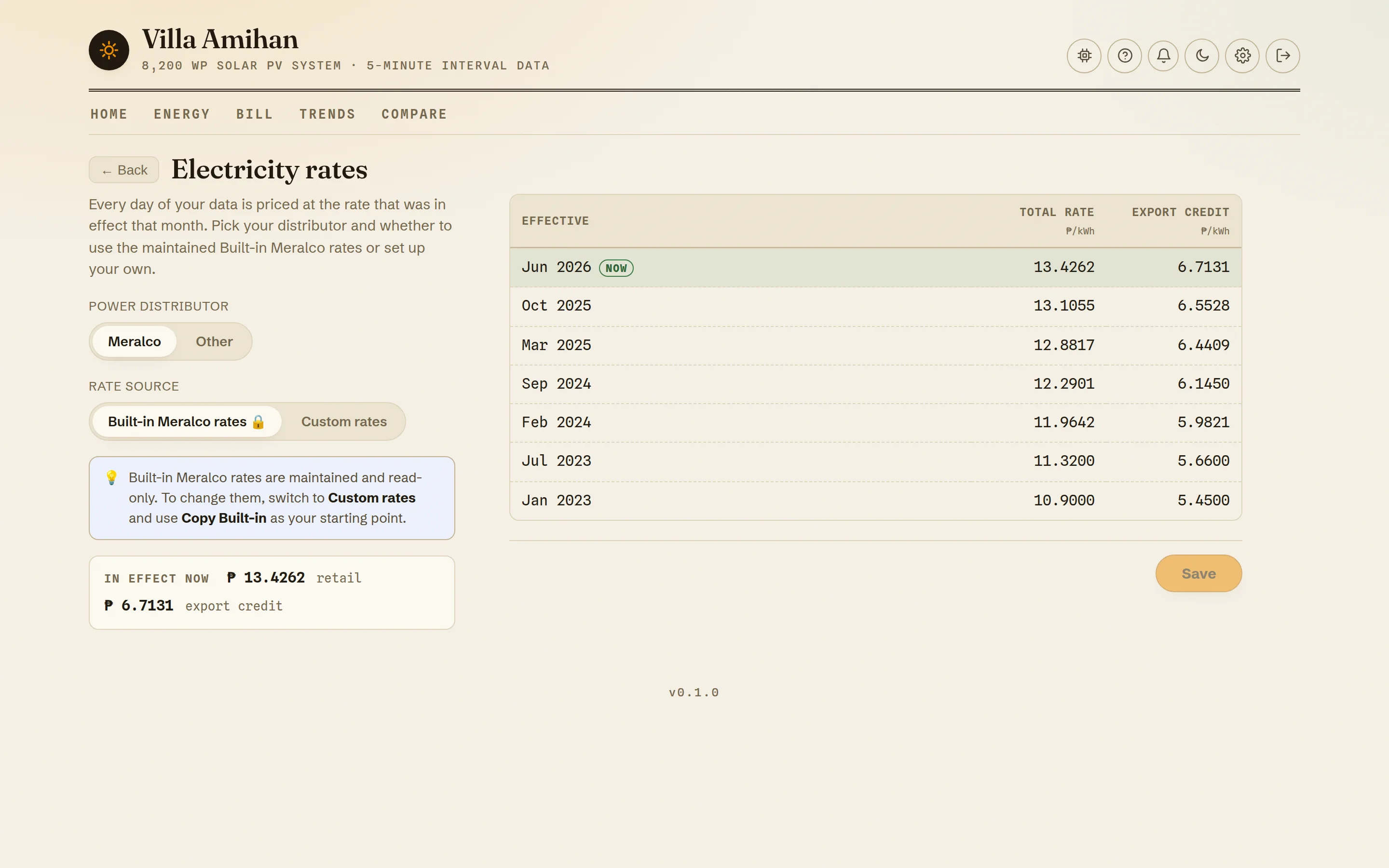
Every day of history is valued at the tariff in effect that month — maintained built-in Meralco rates, or your own custom schedule for any distributor. Export credit, billing-cycle start day, system cost, and install date are all per-station settings; the install pair unlocks the lifetime payback tracker.
Sun-bleached paper by day, lamplight by night.
The whole almanac ships in two moods: warm editorial paper for daylight, and a deep-umber night edition where the accents glow instead of sink. Try the toggle in this page's corner — the screenshots follow along.
Your Solarman account is the only key.
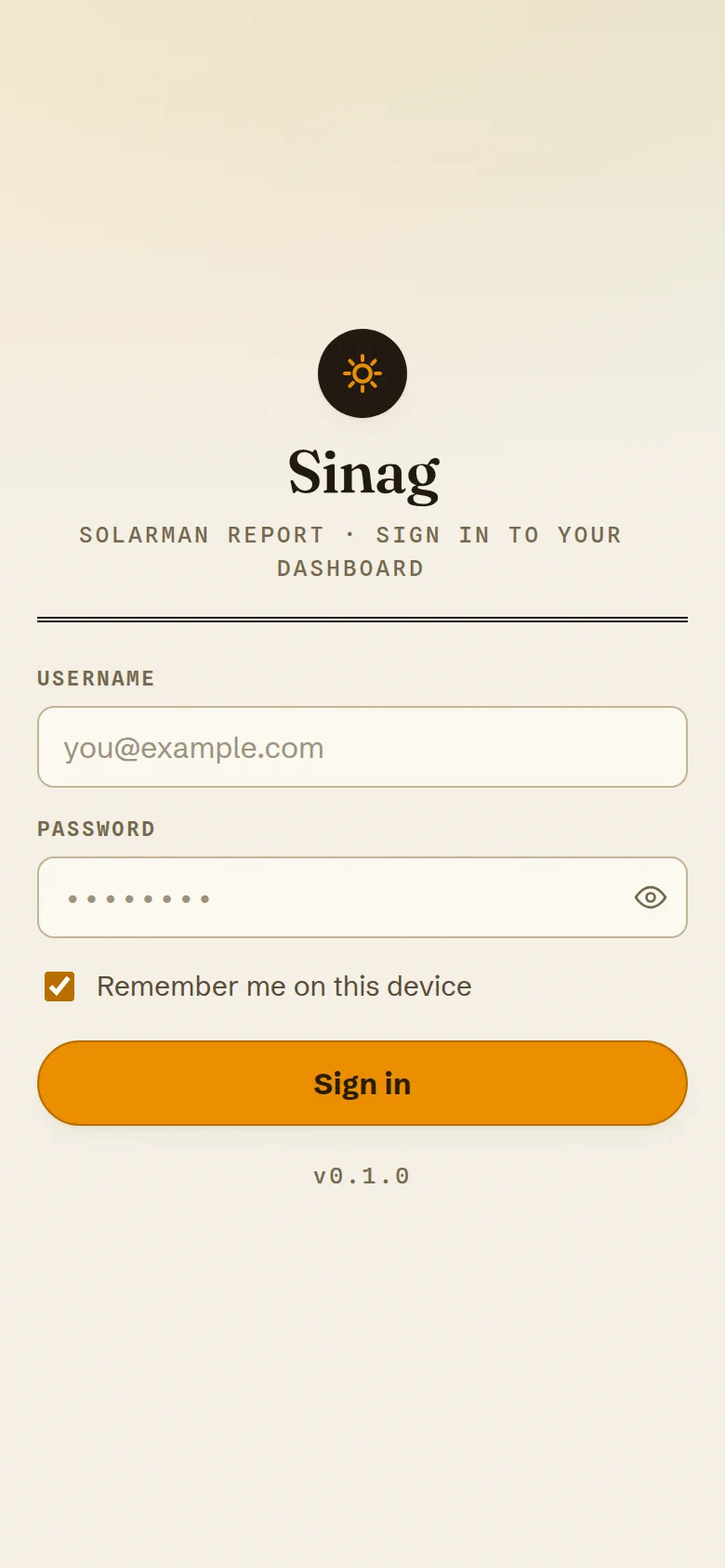
No new account to invent — sign in with the Solarman credentials you already have. Install it as a PWA and the last snapshot stays readable offline.
The sun is already paying you.
Keep the receipts.
Sign in with your Solarman account and Sinag starts writing — five minutes at a time, priced to the centavo, watched around the clock.